
If you have ever watched a technician spin a Tesla wheel on a balancing machine, you may have paused and wondered: do Tesla wheel covers affect wheel balance? It is a fair question. Covers add weight, they sit between the brake and the road, and anything attached to a rotating wheel can, in theory, change how it spins. The short answer is that properly installed wheel covers have little to no effect on balance — but there are a few real-world details worth understanding before you bolt on a new set.
How Tesla Wheel Covers and Wheel Balance Interact
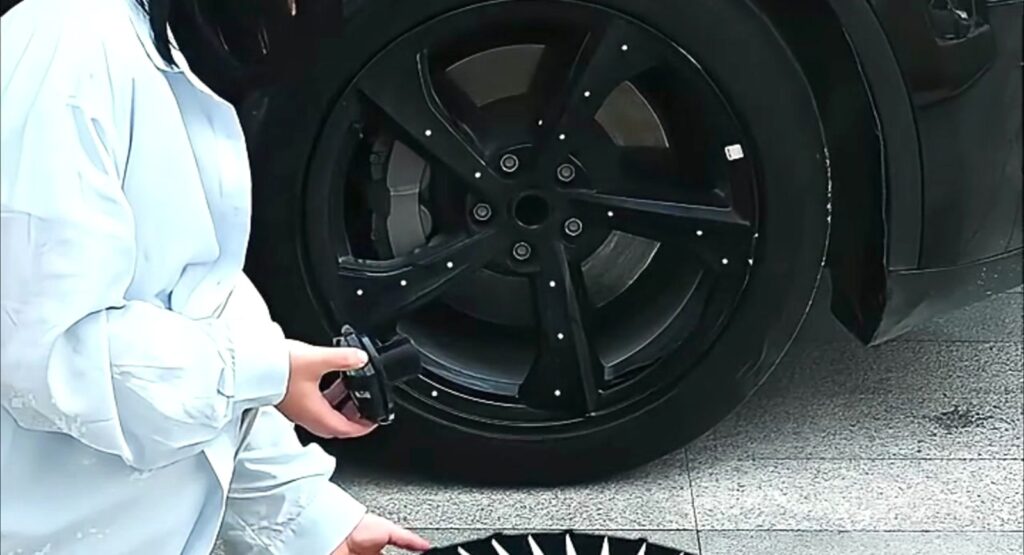
Wheel balance is the process of equalizing the weight distribution around a wheel-and-tire assembly so it spins smoothly at speed. Technicians add small lead or stick-on weights to cancel out heavy spots. Because a Tesla wheel cover clamps or bolts onto the outside face of the wheel, it becomes part of that rotating assembly.
The key variables are weight and symmetry:
- Total added mass: Most aftermarket covers weigh between 0.5 and 1.5 kg per corner — modest compared to a 20+ kg tire.
- Center of rotation: Covers mount centered on the hub, so their mass is distributed evenly around the axis.
- Factory aero covers: Tesla designed its OEM aero covers to work with factory balancing, and thousands of cars ship with them installed.
In practice, a symmetric, well-fitted cover rarely introduces a noticeable imbalance. Problems only appear when a cover is damaged, caked with mud, or mounted off-center.
When Wheel Covers Can Cause Vibration
That said, owners do occasionally report steering wheel shake after installing covers. When that happens, the cover is usually a symptom rather than the root cause. Watch for these culprits:
- Trapped debris: A pebble or packed brake dust between the cover and wheel face creates a heavy spot that grows with speed.
- Off-center mounting: A cover seated slightly askew shifts its mass away from the hub center, mimicking an unbalanced wheel.
- Broken clips: A cracked retaining clip lets the cover shift and flutter at highway speeds — often mistaken for imbalance, but really a fitment issue.
- Aftermarket weights: A few stick-on accessories or decorative badges can concentrate mass on one side.
If vibration starts right after installing covers, remove and reinstall them first. Nine times out of ten, reseating the cover or cleaning the mating surface solves it.
Do You Need to Rebalance After Installing Covers?
For factory aero covers and quality aftermarket sets, no. The mass and symmetry of a well-made cover fall well within the tolerance of the existing balance. Tesla does not require rebalancing when aero covers are installed at the factory or swapped during service.
There are two exceptions worth noting:
- Heavy custom covers: Some oversized or metal-clad designs add enough mass that a fresh balance is cheap insurance.
- After a tire rotation or repair: If the wheels are coming off anyway, asking the shop to check balance with covers installed costs almost nothing.
Covers, TPMS, and Balance Myths
Some owners confuse balance issues with sensor problems. Wheel covers do not interfere with Tesla’s TPMS sensors, which mount inside the tire on the valve stem — far from the cover’s clips. If your car displays a vibration but no tire-pressure warning, the cause is mechanical, not electronic.
Another myth: that removing aero covers always improves efficiency enough to justify rougher balance. In reality, removing them costs roughly 2–3% of range, and bare wheels are more exposed to curb damage. Unless the covers are genuinely damaged, keeping them installed is the better trade.
Best Practices for Smooth-Rolling Covers
A few habits keep your wheels turning true with covers installed:
- Clean the wheel face before every install so nothing is trapped behind the cover.
- Push each clip in until it clicks, then tug the cover firmly to confirm it is fully seated.
- Inspect clips for cracks during tire rotations and replace worn clips before they fail.
- If you notice new vibration above 60 mph, recheck the covers before paying for a rebalance.
Choosing Covers That Stay Balanced and Secure
Not all covers are molded with the same precision. Cheap sets often have uneven wall thickness, which adds a small but real heavy spot. When shopping, look for:
- Model-specific fitment rather than universal one-size designs.
- Reinforced retaining clips that hold the cover concentric to the hub.
- Consistent, lightweight materials such as UV-stabilized ABS.
Every set in the Nauticrim wheel cover collection is designed for exact Model 3 and Model Y fitment, with clip geometry that keeps the cover centered and your wheels running true.
FAQ: Tesla Wheel Covers and Wheel Balance
Can a wheel cover really throw off wheel balance?
Rarely. A symmetric, properly seated cover adds negligible, evenly distributed mass. Imbalance symptoms almost always trace back to trapped debris, off-center mounting, or broken clips rather than the cover’s weight itself.
Should I tell the shop to remove covers before balancing?
Not necessary. Balancing machines spin the whole assembly, and a fitted cover’s contribution is minimal. If you prefer, shops can balance with covers off and reinstall afterward — results are effectively identical for quality covers.
Why does my steering wheel shake after installing new covers?
Remove and reinstall them first. The most common cause is a cover that is not fully clicked into place or grit trapped against the wheel face. If the shake persists with covers off, the tires or wheels need a proper rebalance.
Keep Your Wheels Smooth and Stylish
Tesla wheel covers and wheel balance can peacefully coexist — as long as your covers are well-made, clean, and correctly seated. Upgrade to precision-fit covers that protect your rims, preserve your range, and roll perfectly smooth. Browse the full Nauticrim collection today and find the right set for your Model 3 or Model Y.