
Tesla wheel covers are one of the easiest ways to protect your rims, improve aerodynamics, and give your Model 3 or Model Y a fresh look. But if your tesla wheel covers making noise suddenly starts, that smooth electric silence can turn into an annoying rattle on every commute. The good news: most noises are easy to diagnose and fix at home. In this guide, we will walk through the common causes, quick fixes, and when it is time to upgrade to a better-fitting set from the Nauticrim shop.
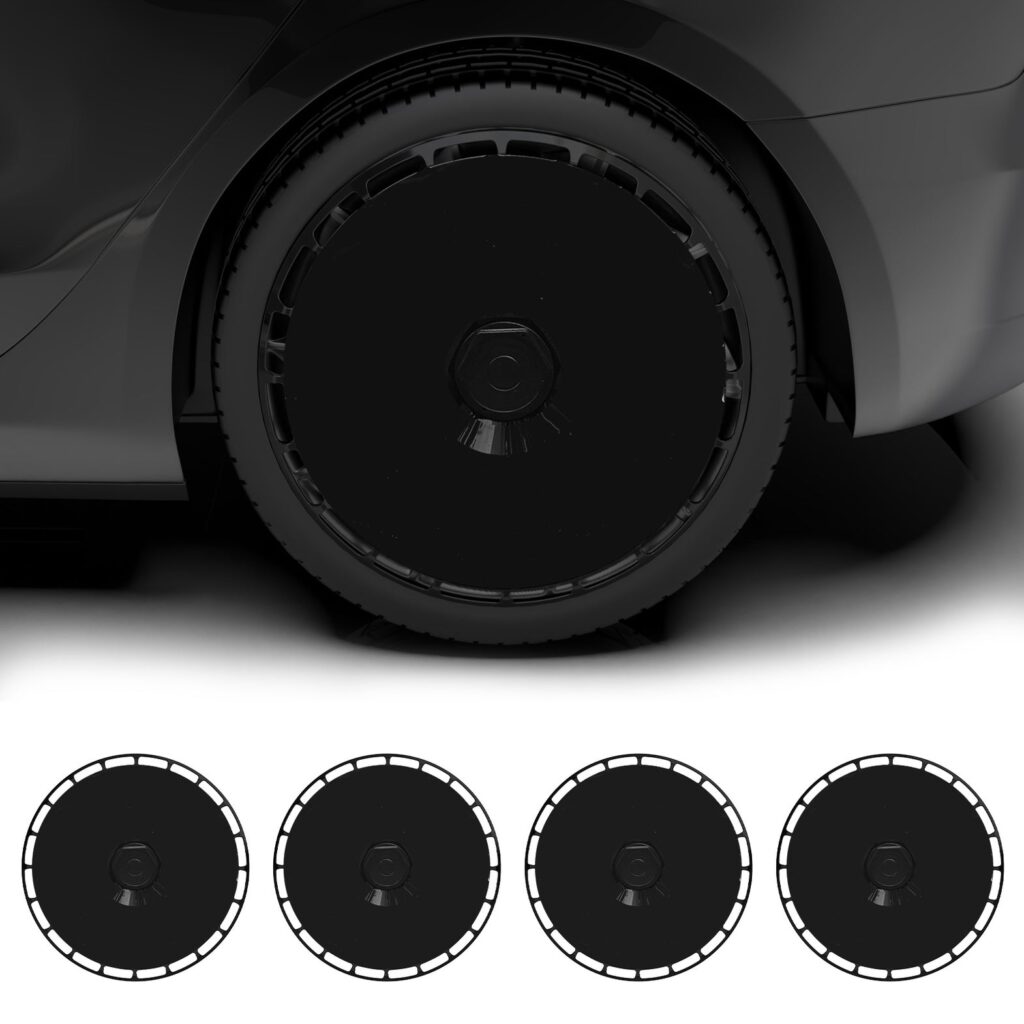
Why Are My Tesla Wheel Covers Making Noise?
Electric vehicles are naturally quiet, so any new sound feels louder than it would in a gas car. When tesla wheel covers making noise becomes a problem, the culprit is usually movement between the cover and the wheel. A cover that is not fully seated, has worn clips, or is trapping debris can vibrate at speed and create a ticking, buzzing, or rattling sound. Understanding what is causing the sound is the first step to fixing it safely.
5 Common Causes of Noisy Tesla Wheel Covers
1. Loose or Worn Clips
Most aftermarket and OEM aero covers attach with plastic clips that snap into the rim edge. Over time, heat cycles, curb contact, and repeated removal can weaken these clips. Once a clip loses tension, the cover can shift slightly against the wheel and produce a rhythmic ticking noise that gets faster as you accelerate.
2. Dirt and Debris Trapped Under the Cover
A tiny pebble, road salt, or dried mud trapped between the cover and the alloy rim can act like a miniature rattle. This is especially common after off-road driving, winter road treatments, or a high-pressure car wash that pushes grit behind the cover. If your tesla wheel covers making noise started right after a wash or a gravel road, debris is the likely cause.
3. Improper Fitment
Not every cover fits every wheel size perfectly. A cover designed for a 19-inch rim may seat poorly on an 18-inch wheel, leaving small gaps that vibrate at highway speed. Even covers marketed as “universal” can vary in clip placement. For model-specific guidance, see our posts on Model Y fitment and Model 3 Highland fitment.
4. Lightweight or Low-Quality Materials
Thin ABS plastic can flex more than premium materials, especially in hot weather or at high speed. That flexing can create a fluttering or humming sound. If you have already ruled out clips and debris, the cover itself may be too thin for sustained highway driving. Our material comparison guide explains how ABS, aluminum, and carbon fiber differ in stiffness and noise control.
5. Misaligned Valve Stem or Weight Clips
Some covers have a valve notch that must line up with the tire valve. If the notch is positioned over a wheel weight or balance clip instead, the cover may sit unevenly and vibrate. Always rotate the cover until the valve stem passes cleanly through its cutout before pressing the final clips into place.
How to Diagnose the Rattle
Start with a slow test drive on a smooth road. Listen for whether the noise changes with speed, steering angle, or braking. Next, park safely and inspect each cover by hand. A properly installed cover should feel tight and return only a small amount of flex. If one corner moves more than the others, that is your starting point. You can also remove the cover entirely and drive briefly without it. If the noise disappears, the cover is definitely the source.
Step-by-Step Fixes for Tesla Wheel Covers Making Noise
Here are the safest ways to silence a noisy cover without damaging your rims:
- Remove and clean: Take the cover off, wash both the rim and the inside of the cover, and remove any grit or salt buildup.
- Inspect the clips: Look for cracked, bent, or worn snap tabs. Replace the cover if more than one clip is damaged.
- Reinstall with even pressure: Align the valve notch first, then press the cover on in a star pattern so all clips engage at the same depth.
- Add a thin foam ring: Some owners place a soft foam gasket between the rim and cover to absorb micro-movement. Make sure it does not block ventilation or clip travel.
- Swap for a secure-fit aftermarket set: If the OEM clips are worn or the cover is a poor match, a purpose-built cover with reinforced retention will solve the problem permanently.
Prevention Tips for a Quiet Ride
A few habits will keep your wheel covers silent for the long term:
- Clean behind the covers every time you wash the car.
- Check clip tension after any curb contact or tire service.
- Avoid high-pressure sprays aimed directly at the clip edges.
- Choose covers made for your exact wheel diameter and offset.
Frequently Asked Questions
Can tesla wheel covers making noise damage my rims?
Usually not immediately, but prolonged vibration can wear the rim finish or allow trapped grit to scratch the alloy. Fixing the noise early prevents cosmetic damage and keeps your wheels looking new.
Should I remove my wheel covers if they keep rattling?
You can drive without them temporarily, but you lose curb and aero protection. A better solution is to reinstall them correctly or upgrade to a tighter-fitting set. Our removal guide shows how to take them off safely without scratching the rim.
Are OEM Tesla covers quieter than aftermarket ones?
OEM aero covers are engineered for a tight fit and low wind noise, but aftermarket covers from reputable brands can be just as quiet if they match your wheel size. The key is clip quality and fitment, not just the brand name.
Stop the Rattle and Upgrade Your Look
Tesla wheel covers making noise are almost always a sign of a simple fitment or maintenance issue. With a quick inspection, cleaning, and proper reinstall, most rattles disappear within minutes. If your current covers are worn, cracked, or just do not fit right, browse our collection at Nauticrim for secure-fit, style-focused covers built for Model 3, Model Y, and more. Need a custom look? Check out our DIY custom wheel covers and turn a noisy problem into a head-turning upgrade.